



In today’s fast-paced world, having your devices charged and ready to go is essential. Whether it’s your smartphone, tablet, or laptop, waiting for your device to charge can be frustrating, especially when you’re in a hurry. Here are some essential tips to help you charge your devices faster and more efficiently.
Speed Up Your Charging Time
Use a High-Output Charger
Not all chargers are created equal. Using a charger with a higher wattage output can significantly reduce the time it takes to charge your device. For example, while a standard phone charger might output 5 watts, a high-output charger can provide 18 watts or more. Check your device’s compatibility and invest in a high-quality, high-output charger to speed up the process.
Invest in Quality Charging Cables
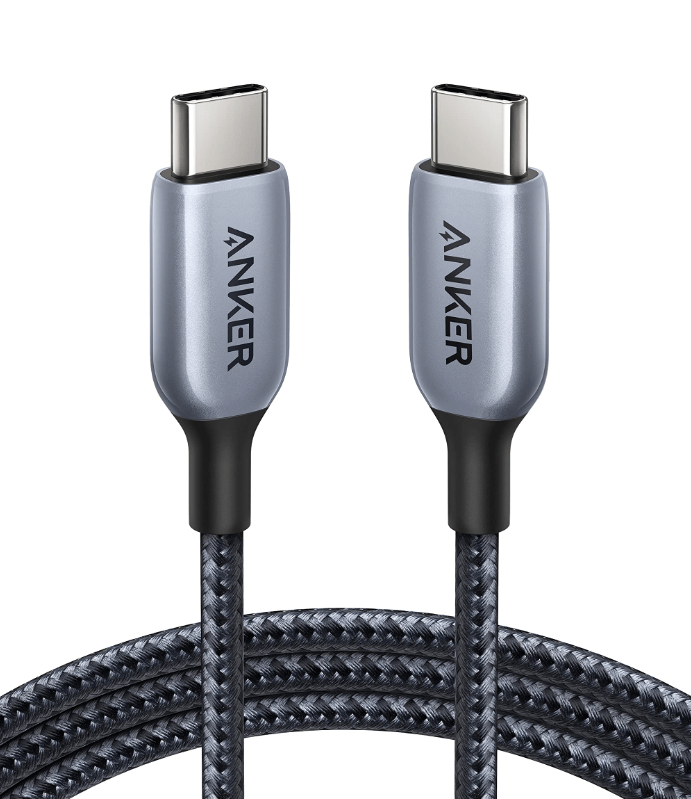
Quality charging cables make a big difference in charging speed. Cheap or counterfeit cables may not support fast charging and can even damage your device. Look for cables that are certified by the manufacturer or a reputable third party. For instance, USB-C to USB-C cables typically offer faster charging speeds than USB-A to USB-C cables. Ensure your cables are capable of handling higher power levels to maximize charging efficiency.
Turn Off Your Device
One of the simplest ways to speed up charging is to turn off your device while it charges. When your device is off, it doesn’t use any power, allowing all the energy from the charger to go directly into the battery. If you can’t turn it off completely, at least close unnecessary apps and reduce screen brightness to minimize power usage.
Enable Airplane Mode
If turning off your device while charging is unrealistic, you can at least enable the airplane mode. When your device is in airplane mode, it stops searching for Wi-Fi, cellular networks, and Bluetooth connections. This reduces power consumption and allows your device to charge faster.
Use a Wall Outlet
Charging your device using a wall outlet is typically faster than using a USB port on a computer or car charger. Wall outlets provide a more stable and higher power output, ensuring your device charges quickly.
Avoid Wireless Charging (When Speed Matters)
While wireless charging is convenient, it’s generally slower than wired charging. If you need a quick charge, it’s better to use a wired connection. Reserve wireless charging for times when speed isn’t a priority, and you can afford to let your device charge at a slower rate.
Use Fast-Charging Technology
Many modern devices come with fast-charging technology, such as Qualcomm Quick Charge or USB Power Delivery (USB-PD). Ensure you have a compatible charger and cable to take advantage of these technologies. Fast-charging can dramatically reduce the time it takes to charge your device, sometimes getting it to 50% in just 30 minutes.
Keep Your Device Cool
Heat can slow down the charging process and damage your battery over time. Avoid charging your device in direct sunlight or in hot environments. If your device tends to get hot while charging, remove any case to allow better heat dissipation and ensure it’s in a well-ventilated area.
Check Your Charging Port
Sometimes, a slow charge can be due to debris or lint in the charging port. Regularly clean your charging port using a small brush or compressed air to ensure a proper connection between your device and the charger. A clean port ensures efficient power transfer, speeding up the charging process.
Optimize Battery Settings
Most modern devices have built-in battery optimization settings. Enabling these settings can help your device charge more efficiently. For example, some smartphones have settings that limit background activity or reduce performance when the battery is low. Explore your device’s battery settings and enable any optimizations available.
Conclusion
Fast charging your devices doesn’t have to be a mystery. By using a high-output charger, investing in a quality cable, and following the other tips outlined above, you can significantly reduce your charging time. Remember to keep your device cool and clean, use fast-charging technologies, and prefer wired over wireless charging when speed matters. Implementing these strategies will ensure your devices are always ready to go when you need them.